
Labour
Budget labour actuals use approved job-linked timesheets and worker hourly rates. Check both the approval state and the configured rate when an amount looks wrong.
Commercial · Job costing
The tender carries an allowance for the crew and excavator. The site records what they used. Fieldlink brings labour, plant, materials and supplier costs back to the job so the office can review the work against the budget.
Understand the source behind each cost before you price the next stage or prepare a bill.
01 / Civil job costing
A civil job can use labour, hired or owned plant, aggregate, pipe, cartage and subcontractors before every supplier bill reaches the office. A budget is useful only when you can understand what has been recorded against it.
Use the job’s budget and cost records to review the position as entries are approved and supplier information is recorded. Keep quantities, rates and missing records in view; an incomplete total is not the final cost of the job.
02 / Civil job costing
Budget labour actuals use approved job-linked timesheets and worker hourly rates. Check both the approval state and the configured rate when an amount looks wrong.
Plant usage contributes a separate equipment cost. The cost basis can use a job-specific plant rate, the asset’s internal hourly rate or the company default. Check which rate and usage have been recorded.
Review supplier document lines, quantities, amounts and job allocation. Extraction can help capture a document, but a suggested match or unreviewed line needs office attention.
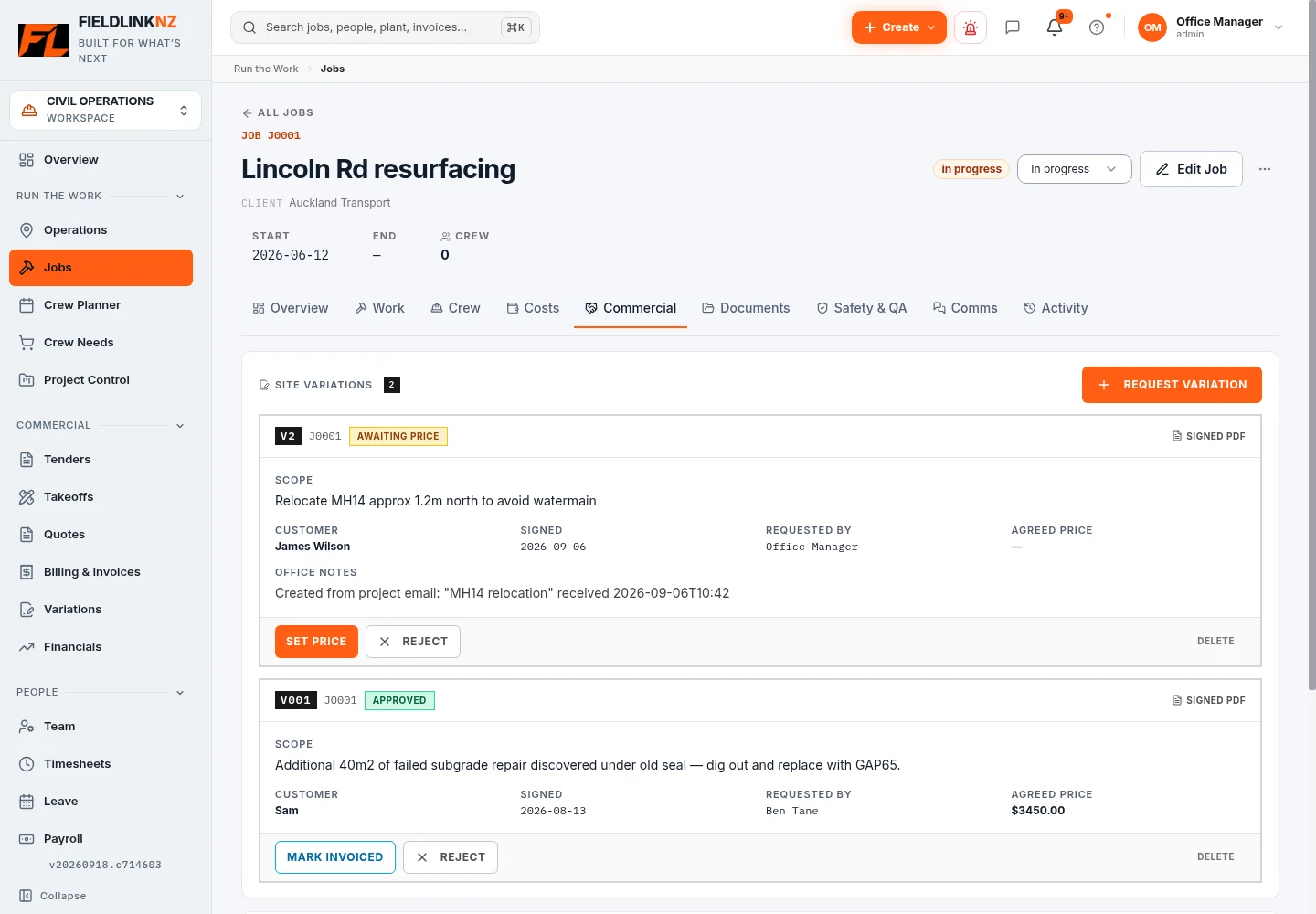
Keep changed scope, variation approval and customer pricing visible alongside the costs. Cost incurred, sell price and invoice status are different things; review each before billing.
An operator’s 8 payable hours and 5 excavator hours are two cost inputs, not 13 payable worker hours. Check older records where plant usage was not separately entered; do not assume a labour total proves equipment utilisation.
03 / Civil job costing
Review the scope, estimate and cost headings before relying on a budget-versus-actual view. Check labour, plant and material allowances for the work you won.
Ask the crew to record the correct job and usage. Review approved time, supplier job references and cost codes so costs can be traced back to the work.
Check missing hours, unreviewed material details, rate settings and supplier amounts. A low recorded spend can mean missing records rather than a healthy job.
Check variations and their approval trail. Keep the cost of extra work separate from the decision to charge the customer.
Resolve records that need attention, review the remaining work and use the cost evidence when preparing billing or pricing a similar job.
04 / Civil job costing
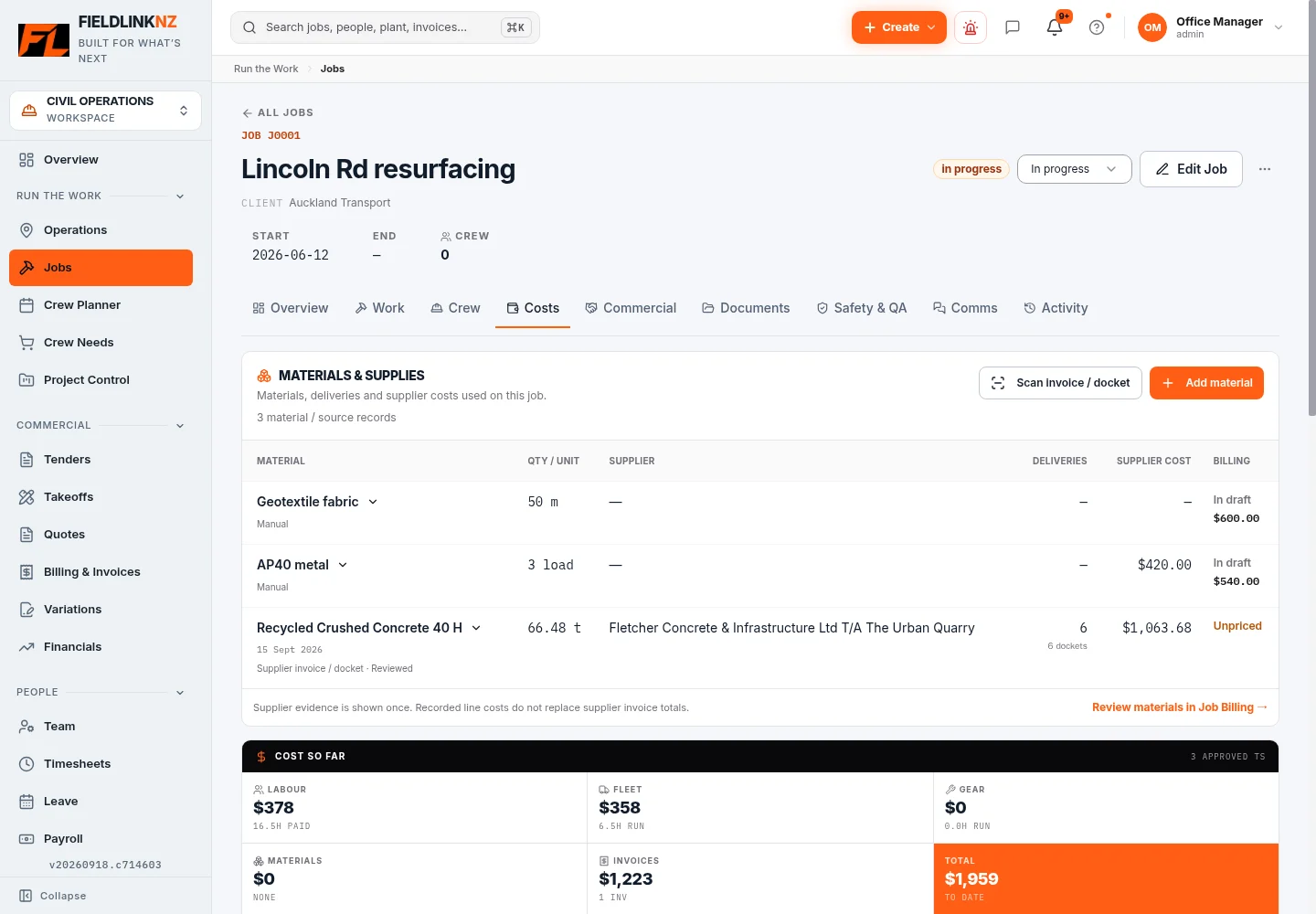
On a drainage job, pipe deliveries and aggregate can arrive on different days and documents. The materials workspace lets the office review supplier details alongside the job, including the source lines that need attention.
Check quantities, units, tax treatment and customer pricing before billing. An operational material review and a supplier invoice total are not interchangeable, and an AI extraction is not approval of a cost.
05 / Civil job costing
The crew records time, plant use and site details against the job. Office users check approvals, rates, supplier details and the budget. A foreman’s note about extra excavation can explain why the recorded work differs from the allowance.
Connect that review to customer invoices and the configured Xero sales sync. Fieldlink provides job-level operational records; keep your accounting and payroll review processes in place.
06 / Civil job costing
Choose a job with a scope the team understands. Agree the budget headings, check worker and plant rates, and identify costs already incurred before you start using Fieldlink.
Compare the job’s approved time and supplier documents with your existing cost sheet. Confirm what each view includes, correct missing allocations and agree who reviews new entries each week. Avoid entering the same historic cost twice.
NZ civil contractors, quantity surveyors, project managers and owners reviewing drainage, earthworks, roading and infrastructure jobs.
If you need a standalone general ledger, statutory accounts or a specific forecasting model, confirm that requirement separately. Job costing relies on your records, rates and review decisions.
Before you start
No. A quote sets out the proposed commercial price and scope; a budget provides allowances for costs. Review the job’s budget basis and headings rather than assuming the quoted sell value is its cost budget.
The current budget labour calculation uses approved timesheets. Other operational summaries may have a different scope, so check the status and period represented by the view you are using.
No. Plant usage is a separate input to equipment cost. It does not add payable hours to the worker’s shift.
Check for unapproved or missing time, missing job allocation, unreviewed supplier details and absent rates. A recorded total only reflects the inputs included in that view.
No. Extraction helps capture document details and job references. The office still needs to review amounts, allocation, material lines and any customer pricing before using them for billing.
Fieldlink connects site records and commercial job workflows. Xero remains the connected accounting/payroll system where configured; review sync results and reconcile records as part of your normal office process.
For the full office-to-field workflow, explore Fieldlink job management. Find practical tools and guides in the Civil Hub.
Use the trial to follow one job’s approved time, plant usage and material records into the office review.