
Site-specific plans · Job documents
SSSP Software for NZ Civil Construction
Prepare a site-specific safety plan and keep the relevant document with the job. Fieldlink supports an editable SSSP draft and PDF export, alongside a separate upload-and-sign-off workflow for your existing plan.
Review the site details and controls. Make the document available to the people doing the work.
01 / SSSP software
A plan for this site and this scope.
An SSSP is a site-specific safety plan: a document describing the work, identified hazards, planned controls and emergency information for a particular site. It needs to reflect the actual work and your project requirements.
Fieldlink’s SSSP editor provides structured sections for project information, hazards and controls, PPE, site rules, training, emergency information and communication. AI drafting can help prepare text, but the site team must review and amend it before use.
02 / SSSP software
Draft, review and export.
Create the plan with its project context, edit the sections and check the site information. AI-generated text is a starting point, not a verified assessment of the site.
An administrator can lock or unlock a generated plan. A locked plan restricts editing to administrators; it is not an immutable published revision. Export the plan as a PDF when you need a document copy.
Set the context
Identify the project, scope and site information. Check the details used for the draft.
Review the content
Amend the hazards, controls and emergency information to reflect the actual site and work.
Control the working document
Use the editor and administrator lock controls within your document process.
Export the reviewed plan
Produce a PDF and follow your business process for issuing it to the relevant people.
03 / SSSP software
Already have an SSSP? Keep it with the job.
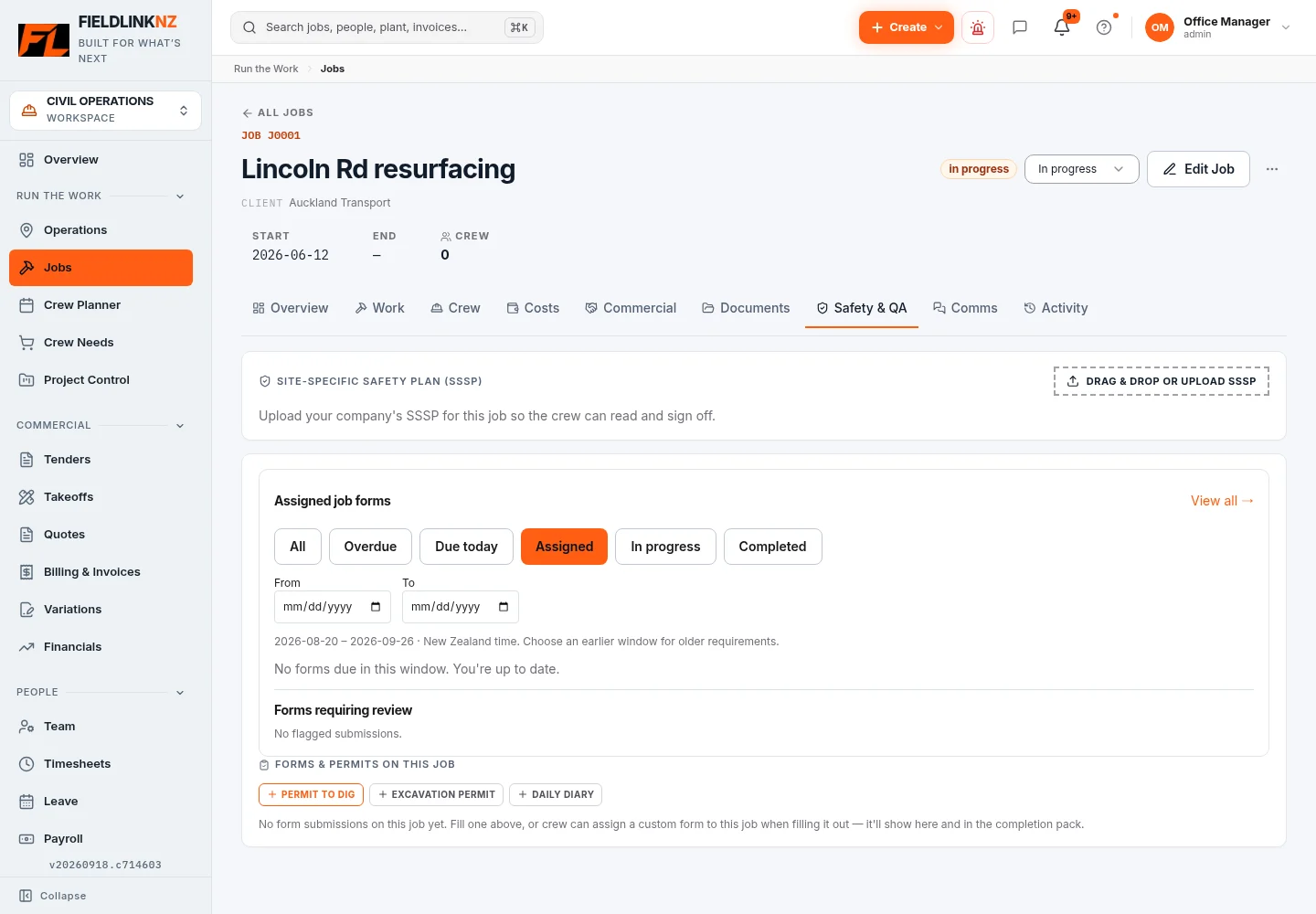
Upload your company’s existing SSSP through the job’s Safety & QA tab. Workers can open the uploaded document and record their sign-off. The document record shows who has signed and the signature date.
The uploaded-document workflow can produce a signed-record PDF containing the document and sign-off information. This is separate from generating a plan in the SSSP editor: exporting an AI draft does not automatically mean the crew has signed it.
04 / SSSP software
Handle plan changes deliberately.
The generated-plan editor stores the current content and update information. It does not provide the same published revision history as the separate induction system.
When the work or site conditions change, review the plan and manage the replacement document and any renewed briefing/sign-off through your document procedure. Do not assume an earlier signature acknowledges later changes.
Keep related assigned forms, toolbox sessions and safety reports available through their existing workflows. A plan document is one part of the job’s safety records.
Before you start
Common questions
Can Fieldlink draft the plan for us?
The SSSP editor supports AI-assisted drafting. Your team must check the site details and revise the content. No generation time, legal approval or acceptance by a principal contractor is guaranteed.
Can workers sign an uploaded plan?
Yes. The uploaded SSSP document workflow records worker signatures and sign-off dates. Keep it distinct from editing or exporting a generated plan.
Does locking create a revision history?
No. Locking controls editing of the current generated plan. It does not create an immutable published revision history, and administrators can still edit a locked plan.
Is an SSSP template included on this public page?
This page explains the Fieldlink software workflow. It is not a downloadable regulatory template or a statement of what your project must accept.
Keep the work connected.
For the full office-to-field workflow, explore Fieldlink job management. Find practical tools and guides in the Civil Hub.
Keep the site plan close to the work.
Explore SSSP drafting, job documents and worker sign-off in Fieldlink.